1
p1.png
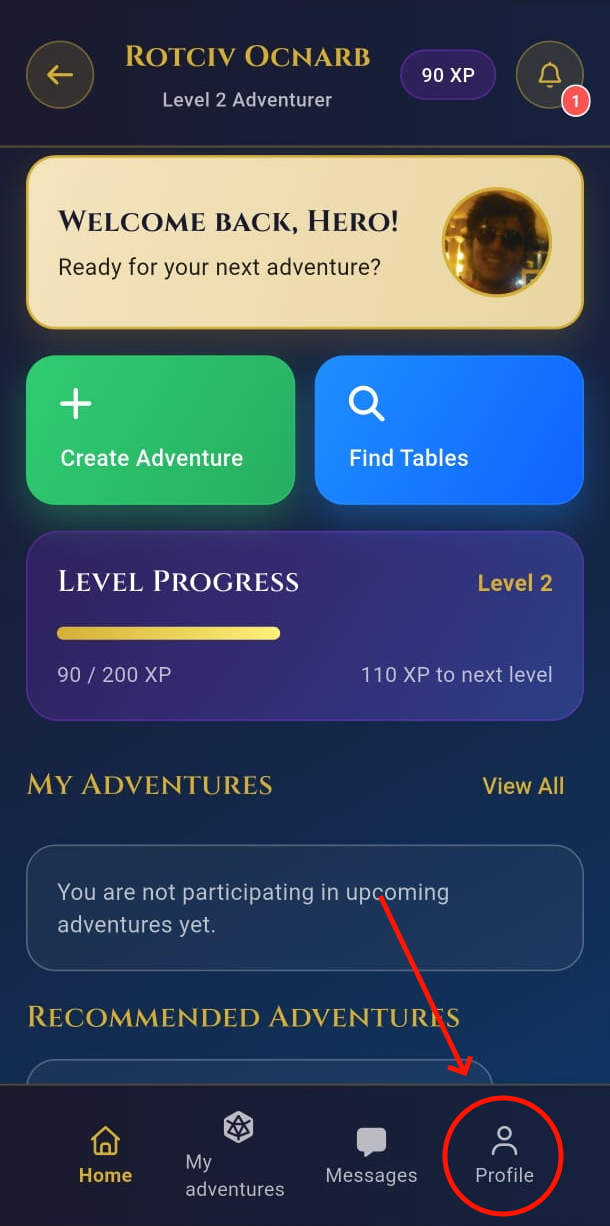
Open your profile
Open RPG Finder, sign in, and tap your profile tab to review the information stored on the account.
LGPD Guide
Updated on
28 Nov 2025
Brazil's Lei Geral de Proteção de Dados (LGPD) ensures your right to permanently delete personal data. This guide explains how to remove your RPG Finder account and what happens afterwards.
Account deletion is irreversible: this operation CANNOT BE UNDONE. Once you confirm, every campaign, group, session history, and profile detail is purged from our active systems and logs. If the deletion happens by accident, there is nothing we can do to restore your information.
Open RPG Finder, sign in, and tap your profile tab to review the information stored on the account.
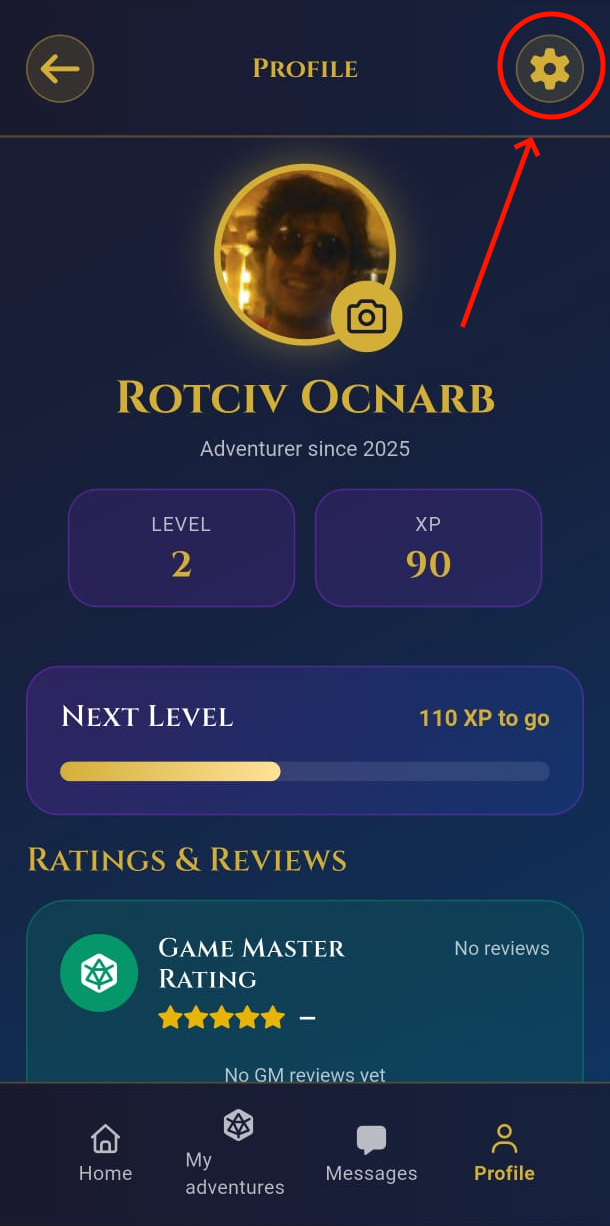
Tap the gear icon to access account settings. This is where each privacy control is located.
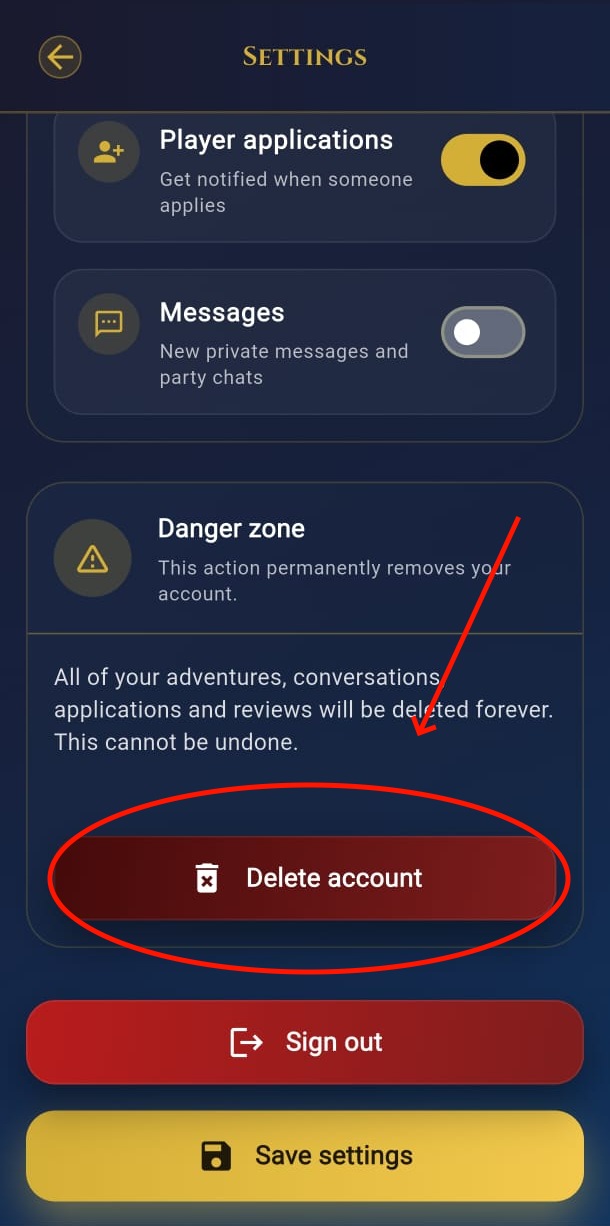
Scroll to the Danger section and tap Delete account. Read the warning: it emphasizes that everything is removed with no way back.
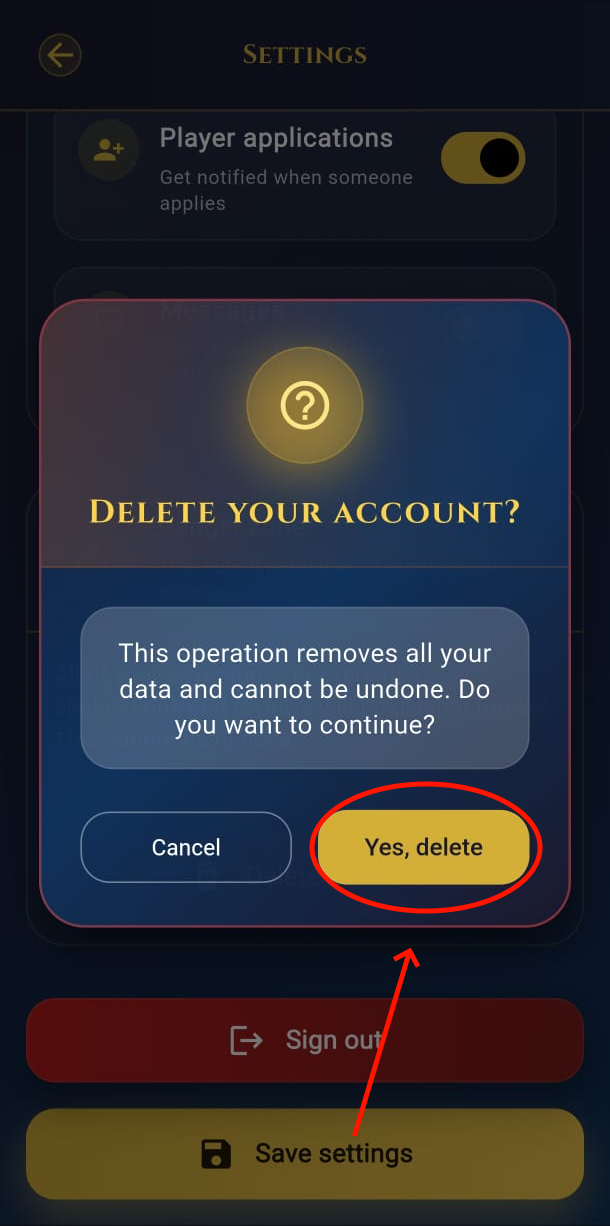
Tap Yes, delete, and wait for the confirmation. After that, the account is scheduled for removal and you cannot reactivate the service using the same data.
If you change your mind later, you will need to create a brand-new account. Please confirm only when you are absolutely sure.